
The evolving developer toolkit
Software development moves fast. AI is already changing how we write and test code, while cloud-native development is the new standard for most teams. These aren't just new gadgets; they change the way we build and ship software.
The demand for faster iteration cycles is relentless. Businesses need to respond to market changes quickly, and developers are under pressure to deliver features faster than ever before. This pressure is accelerating the move away from owning software licenses towards a subscription-based model for development tools, where access and flexibility are valued over outright ownership. This means keeping up with the latest offerings is no longer optional.
Traditionally, a developer’s toolkit centered around a local IDE, a debugger, and a version control system. That’s still part of the picture, but it’s incomplete. Modern development requires a broader arsenal – tools that augment our abilities, automate tedious tasks, and enable seamless collaboration. Ignoring these advancements isn't a path to efficiency; it's a recipe for falling behind.
The tools discussed here aren’t merely about convenience. They represent a strategic advantage. Embracing the right tools allows developers to focus on solving complex problems, rather than wrestling with infrastructure or repetitive coding tasks. It’s about maximizing developer productivity and delivering higher-quality software, faster. The cost of not adapting is substantial.
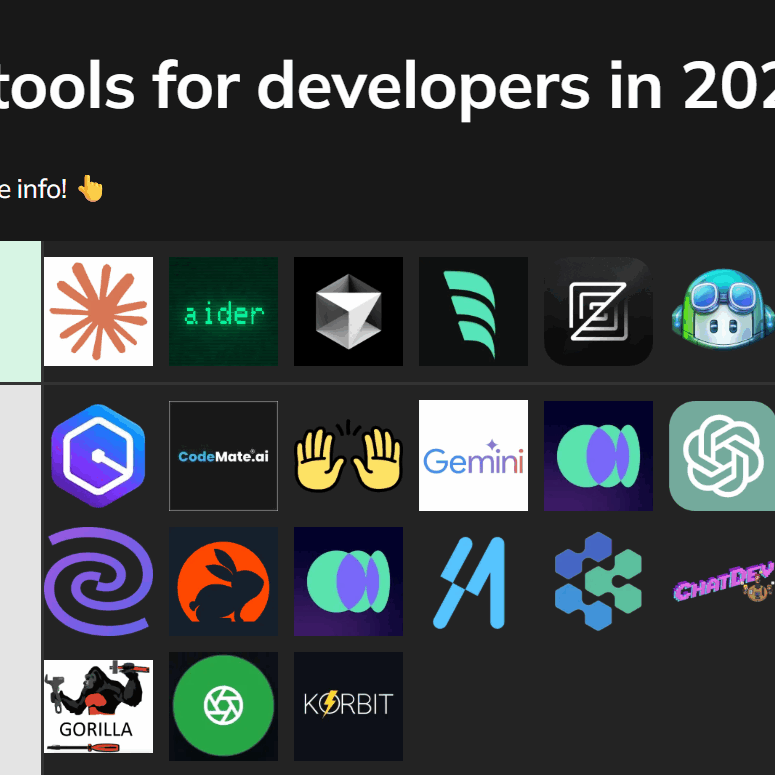
AI coding assistants
AI coding assistants are arguably the most disruptive force in the current development landscape. Tools like GitHub Copilot, Amazon CodeWhisperer, and Tabnine are moving beyond simple code completion to offer intelligent suggestions, bug detection, and even the generation of entire functions based on natural language prompts. These assistants are trained on vast datasets of code, allowing them to understand context and offer relevant solutions.
The capabilities are impressive. Copilot, for example, can generate boilerplate code, suggest unit tests, and translate code between languages. CodeWhisperer focuses heavily on security vulnerability detection, flagging potential issues as you type. Tabnine excels at personalized suggestions, learning from your coding style and preferences. However, it’s critical to understand these tools aren’t replacements for developers. They’re powerful augmentation tools that require careful oversight.
The ethical implications of using AI-generated code are significant. Licensing is a major concern. Where did the training data come from, and what are the implications for copyright? Security is another critical area. AI-generated code may contain vulnerabilities if the underlying training data is flawed. Developers must thoroughly review and test any code generated by these assistants. Blindly accepting suggestions is a dangerous practice.
GitHub Copilot is $10 a month. Amazon CodeWhisperer is free for individuals, while Tabnine has a tiered model. Whether these are worth the price depends on how much boilerplate you actually write every day. I've found that if it saves me two hours of debugging a month, it pays for itself.
AI Pair Programmer Comparison: GitHub Copilot, Amazon CodeWhisperer, and Tabnine (2026)
| Supported Languages | IDE Integrations | Key Features | Privacy Considerations |
|---|---|---|---|
| Broad language support, excelling in Python, JavaScript, TypeScript, Java, C#, and C++. | Extensive: Visual Studio Code, Visual Studio, Neovim, JetBrains IDEs. | Strong code completion, generates code from comments, offers multiple suggestions, and supports unit test creation. | Data usage for model improvement; configurable data sharing options are available. |
| Excellent support for Python, Java, JavaScript, C#, and TypeScript. Expanding support for other languages. | Seamless integration with AWS Cloud9, Visual Studio Code, JetBrains IDEs, and VS Code. | Focus on security vulnerability detection, offers code transformation suggestions, and integrates well with AWS services. | Data is used to improve the service, but Amazon emphasizes data privacy and security within the AWS ecosystem. |
| Wide range of language support including Python, JavaScript, Java, C++, C#, Go, PHP, Ruby, and more. | Visual Studio Code, JetBrains IDEs, Sublime Text, and other editors via plugins. | Offers both cloud and on-premise deployment options, focuses on team collaboration features, and provides customizable code completion. | Offers options for data residency and control, suitable for organizations with strict data governance policies. |
| Generally strong across popular languages, with ongoing improvements based on user data. | Primarily focused on Visual Studio Code and JetBrains IDEs, with potential for broader integration. | Emphasis on contextual awareness and generating entire functions or code blocks based on surrounding code. | Relies on user code to train the model; users should be mindful of sharing sensitive information. |
| Good support for common languages, but may require more fine-tuning for less mainstream languages. | Good integration with major IDEs like VS Code and JetBrains IDEs. | Offers a balance between code completion and code generation, with a focus on developer productivity. | Data is used for model improvement, with options for adjusting data sharing preferences. |
| Offers a solid base of language support, with a strong focus on enterprise-level features. | Supports a wide range of IDEs and editors through plugins and extensions. | Provides features for code quality analysis, bug detection, and code refactoring. | Offers enterprise-level security and compliance features, with options for data isolation and control. |
Qualitative comparison based on the article research brief. Confirm current product details in the official docs before making implementation choices.
Cloud IDEs
Cloud-based Integrated Development Environments (IDEs) like GitHub Codespaces, Gitpod, and AWS Cloud9 are gaining traction, offering a compelling alternative to traditional local development environments. The core benefit is accessibility. You can code from any device with a web browser, eliminating the need to install and configure development tools on your machine.
This portability is a game-changer for remote teams and developers who frequently switch between machines. Cloud IDEs also simplify collaboration. Sharing a development environment with colleagues is as simple as sharing a link. Furthermore, they often integrate seamlessly with popular version control systems like Git, streamlining the development workflow.
However, cloud IDEs aren’t without drawbacks. Reliance on internet connectivity is a significant concern. A poor connection can lead to latency and frustration. Data security is also a consideration, though reputable providers implement robust security measures. It’s important to understand the data residency policies and ensure compliance with relevant regulations.
Integration with existing workflows is improving rapidly. GitHub Codespaces, for instance, integrates deeply with GitHub repositories. Gitpod allows you to define development environments using a `.gitpod.yml` file, making it easy to reproduce environments consistently. AWS Cloud9 offers integration with other AWS services, simplifying cloud-native development.
- GitHub Codespaces provides pre-configured environments that live directly inside your repositories.
- Gitpod is an open-source alternative that uses a .gitpod.yml file to automate environment setup.
- AWS Cloud9 is a browser-based IDE that works well if you are already deep in the AWS ecosystem.
Essential Developer Tools
- GitHub - A leading platform for version control, collaboration, and code management, utilizing Git.
- Visual Studio Code (VS Code) - A highly customizable and extensible code editor with robust debugging features and a vast extension marketplace.
- Docker - A platform for developing, shipping, and running applications in containers, ensuring consistency across different environments.
- Postman - An API platform used for building and using APIs, streamlining API testing and documentation.
- JetBrains IntelliJ IDEA - A powerful Integrated Development Environment (IDE) particularly well-suited for Java development, offering intelligent code assistance.
- GitHub Copilot - An AI pair programmer powered by OpenAI Codex, providing code suggestions and autocompletion within supported editors.
- AWS Cloud9 - A cloud-based IDE that allows developers to write, run, and debug code directly in the browser.
- GitLab - A complete DevOps platform, providing source code management, CI/CD pipelines, and collaboration tools.
Advanced Debugging and Profiling Tools
Basic debuggers are essential, but they often fall short when dealing with complex production issues. Advanced debugging and profiling tools like Sentry, Datadog, and New Relic provide deeper insights into application performance and errors. These tools go beyond simply identifying bugs; they help pinpoint the root cause of performance bottlenecks and track errors in real-time.
Sentry excels at error tracking, providing detailed stack traces and context for each error. Datadog offers comprehensive monitoring capabilities, covering infrastructure, applications, and logs. New Relic focuses on application performance monitoring (APM), providing insights into transaction times, database queries, and other performance metrics. The choice depends on your specific needs and the complexity of your application.
Proactive monitoring is crucial. Waiting for users to report issues is reactive and inefficient. These tools allow you to identify and resolve problems before they impact users. They also provide valuable data for optimizing application performance and improving the user experience. Setting up alerts based on specific metrics can automate this process.
Configuration can be complex, and the cost of these tools can be significant, particularly for high-traffic applications. Sentry offers a free tier for small projects, but paid plans are required for larger applications. Datadog and New Relic offer tiered pricing based on data volume and features. Careful planning and configuration are essential to maximize the value of these tools.
Containerization and Orchestration
Containerization, primarily with Docker, has become a standard practice in modern software development. Docker allows you to package an application and its dependencies into a standardized unit, ensuring consistency across different environments. This eliminates the “it works on my machine” problem and simplifies deployment. The benefits are significant: portability, isolation, and reproducibility.
Kubernetes is the dominant container orchestration platform. It automates the deployment, scaling, and management of containerized applications. While Kubernetes is incredibly powerful, it’s also complex. Understanding core concepts like pods (the smallest deployable unit), deployments (managing replicated pods), and services (exposing applications) is essential.
Writing Kubernetes YAML files can be daunting. Fortunately, several tools simplify Kubernetes management. Rancher provides a user-friendly interface for managing Kubernetes clusters. Lens is a desktop application that visualizes your Kubernetes cluster and simplifies debugging. These tools abstract away much of the complexity, making Kubernetes more accessible.
The learning curve for Kubernetes is steep, but the benefits are worth the effort. It enables you to scale applications efficiently, automate deployments, and improve resource utilization. Understanding the fundamentals of containerization and orchestration is no longer optional for developers working on large-scale applications.
Essential Collaboration and Version Control
Version control is a cornerstone of modern software development. Git remains the dominant version control system, and platforms like GitHub, GitLab, and Bitbucket provide hosting and collaboration features. While the fundamental principles of version control haven’t changed, the tools and best practices continue to evolve.
Effective branching strategies are essential for managing concurrent development. Gitflow is a popular model, but other approaches, such as trunk-based development, are gaining traction. Code reviews are another critical practice. Thoroughly reviewing code before merging it into the main branch helps identify bugs and improve code quality. Clearly written commit messages are also vital for understanding the history of the codebase.
Continuous Integration/Continuous Delivery (CI/CD) pipelines automate the build, test, and deployment process. Tools like Jenkins, GitLab CI, and GitHub Actions streamline this process, allowing for faster and more reliable releases. Automating these tasks reduces the risk of errors and improves developer productivity.
Integration with communication tools like Slack and Microsoft Teams can further enhance collaboration. Automated notifications and alerts keep team members informed of changes and potential issues. A well-defined workflow and consistent use of these tools are essential for successful collaboration.
Featured Products

Tactile Quiet switches for a satisfying typing experience without excessive noise. · Backlit keys with customizable illumination for low-light environments. · Multi-device connectivity via Bluetooth or USB-C, compatible with major operating systems.
This keyboard offers a premium typing experience with quiet, tactile feedback and versatile connectivity, essential for long coding sessions.

Stunning 4K UHD resolution for sharp, detailed visuals. · 27-inch WLED display provides ample screen real estate for multitasking. · ENERGY STAR and EPEAT certified for energy efficiency.
A high-resolution monitor is crucial for developers to view complex code and UIs with clarity and reduce eye strain.

Adjustable height, swivel, and rotation for optimal ergonomic positioning. · Supports monitors from 13 to 32 inches and up to 77 lbs. · Free-standing design for easy placement on any desk.
This monitor stand allows for personalized ergonomic adjustments, promoting comfort and preventing strain during extended work periods.

8K DPI sensor for precise cursor control, even on glass. · Ultra-fast scrolling and quiet clicks minimize distractions. · Ergonomically sculpted design for comfortable all-day use.
The MX Master 3S provides unparalleled precision and ergonomic comfort, streamlining navigation through complex projects.

Compact 75% layout saves desk space while retaining essential keys. · Hot-swappable switches allow for easy customization of typing feel. · Dual connectivity with Bluetooth and USB-C for flexible use.
This compact mechanical keyboard delivers a customizable and responsive typing experience, ideal for developers who value both functionality and desk space.
As an Amazon Associate I earn from qualifying purchases. Prices may vary.
What is your biggest challenge when working with APIs?
Vote below and tell us which API challenge has the biggest impact on your development workflow.

No comments yet. Be the first to share your thoughts!