
The developer toolbox in 2026
Building software in 2026 requires a tighter grip on automation and integration than we needed a few years ago. The tools we choose now determine whether we spend our days fighting environment bugs or actually shipping features.
The tools I’ll cover aren’t simply 'nice-to-haves'; they're essential components of a modern developer’s workflow. They address the realities of building and maintaining software at scale, from coding and testing to deployment and monitoring. I've focused on a blend of established industry standards and emerging technologies that are gaining traction and solving real problems.
This list isn't an objective ranking, but a look at what I'm seeing work in production right now. These tools handle the friction of modern scale, from local coding to cloud monitoring.
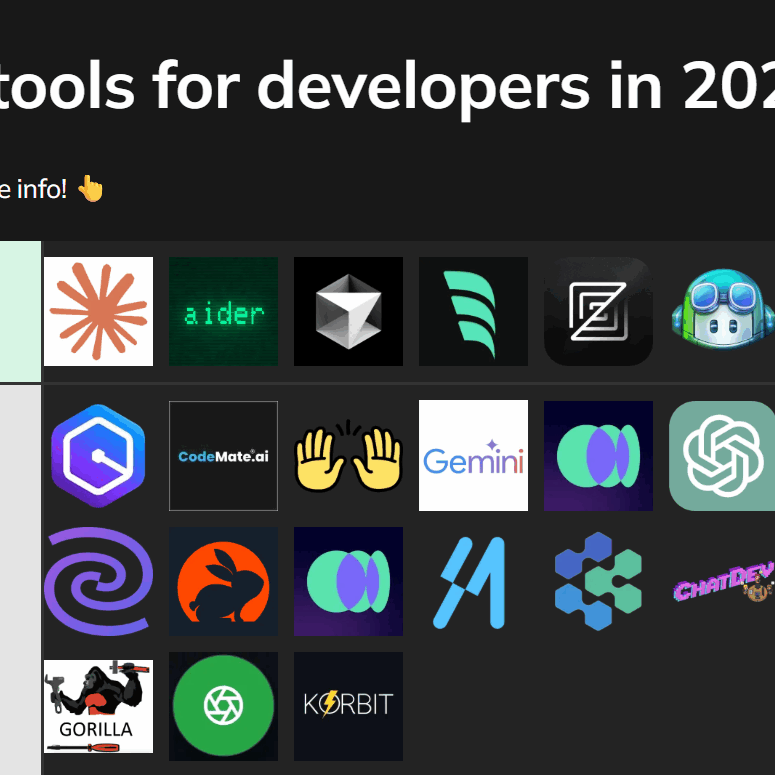
Ten tools for 2026
Here are ten software development tools that every developer should have in their arsenal in 2026. Each one plays a crucial role in streamlining the development process and improving the quality of your work.
1. Visual Studio Code (Code Editor): VS Code remains the dominant code editor for a reason. It’s lightweight, highly customizable with a massive extension marketplace, and supports a vast range of programming languages. Its integrated terminal, debugging tools, and Git integration make it a powerhouse for developers of all levels. It’s best suited for anyone writing code, regardless of their preferred language.
2. Git (Version Control System): Version control is non-negotiable. Git, and platforms built around it, allow you to track changes to your code, collaborate with others, and revert to previous versions if needed. It's fundamental for both individual projects and large teams. It solves the problem of lost work and simplifies collaboration.
3. Docker (Containerization Platform): Docker lets you package your application and its dependencies into a standardized unit called a container. This ensures that your application runs consistently across different environments, from development to production. It’s ideal for developers dealing with complex dependencies or needing to ensure portability.
4. GitHub/GitLab (Code Repository & CI/CD): These platforms provide a central repository for your code, along with powerful collaboration features like pull requests, issue tracking, and code review. They also offer CI/CD (Continuous Integration/Continuous Delivery) pipelines to automate your build, test, and deployment processes. Great for teams of any size.
5. Postman (API Testing Tool): In an API-driven world, Postman is invaluable. It allows you to design, build, test, and document APIs with ease. Its collaboration features are particularly useful for teams working on API integrations. It’s essential for backend developers and anyone working with web services.
6. Slack/Microsoft Teams (Team Communication): Effective communication is crucial for successful software development. Slack and Microsoft Teams provide real-time chat, file sharing, and integration with other development tools. This keeps everyone on the same page and speeds up problem-solving. Best for any team, regardless of size or location.
7. Jira/Linear (Project Management): Project management tools like Jira and Linear help you organize your work, track progress, and manage bugs. They provide a central hub for all project-related information, ensuring that everyone is aligned on priorities and deadlines. Especially useful for larger projects with multiple stakeholders.
8. AWS/Azure/Google Cloud (Cloud Platform): Cloud platforms provide a wide range of services, including computing, storage, databases, and machine learning. They offer scalability, reliability, and cost-effectiveness. From deploying applications to running data analytics, these platforms are essential for modern software development. A good fit for projects requiring scalability or complex infrastructure.
9. Jenkins/GitHub Actions (CI/CD Pipeline): Automating your build, test, and deployment processes is key to delivering software quickly and reliably. Jenkins and GitHub Actions provide powerful CI/CD pipelines that streamline this process. It’s ideal for teams practicing DevOps or striving for continuous delivery.
10. Figma (Design Collaboration Tool): Collaboration between developers and designers is more important than ever. Figma allows designers and developers to work together in real-time on user interface designs. It simplifies the handoff process and ensures that the final product meets the design specifications. Best suited for front-end developers and UI/UX designers.
Boost Your Coding Comfort: Ergonomic Gear for Developers

Quiet, perfect-stroke keys for comfortable typing · Logi Bolt technology for secure wireless connectivity · Long-lasting rechargeable battery
This keyboard offers a premium typing experience with quiet, responsive keys and reliable wireless connectivity, making long coding sessions more comfortable and productive.

Stunning 4K UHD resolution for sharp visuals · 27-inch WLED display with wide viewing angles · Ergonomic stand for adjustable positioning
A high-resolution monitor like this Dell UltraSharp provides ample screen real estate and crisp detail, crucial for reviewing code, debugging, and multitasking efficiently.

Advanced ergonomic design for optimal posture support · Adjustable features for personalized comfort · Durable construction for long-term use
This chair is engineered for superior ergonomic support, helping you maintain good posture and comfort throughout your workday, which is essential for preventing strain during extended coding periods.

Industry-leading noise cancellation for focused work · Exceptional 30-hour battery life · Premium sound quality for calls and music
These headphones create a distraction-free environment with their advanced noise-canceling technology, allowing you to concentrate deeply on your tasks, complemented by long battery life for uninterrupted use.
As an Amazon Associate I earn from qualifying purchases. Prices may vary.
VS Code and AI-assisted coding
Visual Studio Code has solidified its position as the leading code editor, and its evolution is deeply intertwined with the rise of AI-assisted coding. Extensions like GitHub Copilot are fundamentally changing how developers write code. Copilot uses OpenAI’s Codex model to suggest code completions, generate entire functions, and even translate code between languages.
The benefits are clear: increased speed, reduced boilerplate, and fewer errors. Developers can focus on higher-level tasks, while AI handles the more mundane aspects of coding. However, there are challenges. Over-reliance on AI can lead to a decline in fundamental coding skills, and the quality of generated code isn't always perfect. Careful review and testing are still essential.
Ethical considerations are also important. If an AI writes a significant portion of your code, who owns the copyright? Is it still 'your' code? These are complex questions with no easy answers. It’s vital to understand the limitations of AI-assisted coding and use it responsibly, treating it as a tool to augment, not replace, human intelligence.
Docker and Kubernetes
Containerization, with Docker leading the charge, has revolutionized how we package and deploy applications. Instead of shipping an entire virtual machine, you package only the application and its dependencies into a container. This makes containers lightweight, portable, and consistent across different environments. It solves the "it works on my machine" problem.
However, managing a large number of containers can become complex. That’s where Kubernetes comes in. Kubernetes is a container orchestration platform that automates the deployment, scaling, and management of containerized applications. It handles tasks like load balancing, service discovery, and rolling updates.
Why choose this approach? Portability, scalability, and consistency are the key benefits. You can run your application anywhere that supports Docker and Kubernetes, scale it up or down as needed, and be confident that it will behave the same way in every environment. While managing Kubernetes can have a learning curve, the benefits for complex applications are substantial.
Observability: Datadog & Sentry
Modern software development demands observability—the ability to understand the internal state of your application from its external outputs. Tools like Datadog and Sentry provide comprehensive observability solutions, helping you monitor performance, identify bottlenecks, and troubleshoot errors in real-time.
The shift is from reactive debugging (fixing problems after they’re reported) to proactive monitoring (identifying and resolving issues before they impact users). Datadog excels at collecting and visualizing metrics, logs, and traces, providing a holistic view of your application’s health. Sentry focuses on error tracking and performance monitoring, helping you pinpoint the root cause of issues.
Logging, metrics, and tracing are the three pillars of observability. Logging captures events that occur within your application. Metrics provide quantitative measurements of performance. Tracing tracks the flow of requests through your system. Together, they provide a complete picture of your application’s behavior.
Infrastructure as Code: Terraform
Traditionally, managing infrastructure involved manual configuration and provisioning. This was time-consuming, error-prone, and difficult to scale. Infrastructure as Code (IaC) solves this problem by treating infrastructure like code—defining it in configuration files that can be version-controlled and automated.
Terraform is a popular IaC tool that allows you to define and provision infrastructure across multiple cloud providers, including AWS, Azure, and Google Cloud. You write Terraform configuration files that describe the desired state of your infrastructure, and Terraform handles the rest.
The benefits of IaC are significant: version control, automation, repeatability, and reduced risk of errors. By treating infrastructure like code, you can apply the same best practices—testing, code review, and continuous integration—that you use for your application code. This leads to more reliable and scalable infrastructure.
Low-code and no-code platforms
Low-code/no-code platforms are gaining traction as a way to accelerate development and empower citizen developers—individuals with limited coding experience to build applications. These platforms provide visual interfaces and drag-and-drop components, allowing users to create applications without writing extensive code.
Are these platforms a threat to traditional developers? I don’t think so. They’re more likely to be a complement. Low-code/no-code platforms are well-suited for building simple applications and automating repetitive tasks. However, they often lack the flexibility and scalability required for complex projects.
They offer an opportunity to free up professional developers to focus on more challenging tasks, while empowering citizen developers to solve their own problems. It’s a shift in the development landscape, and developers who embrace these tools will be well-positioned to succeed. However, it's important to recognize their limitations and choose the right tool for the job.

No comments yet. Be the first to share your thoughts!