
The shift in developer toolkits
Software development moves fast. Remote work and AI-assisted coding are no longer novelties; they are standard. I've found that keeping a sharp toolkit is the only way to stay productive when the tech stack underneath you shifts every six months.
It’s easy to get caught up in the hype around the newest frameworks and technologies, but the core principle remains the same: choosing the right tool for the job. In 2026, that means prioritizing tools that enhance collaboration, automate repetitive tasks, and integrate seamlessly into modern development workflows. It’s not just about adopting new tools; it’s about building a cohesive and efficient development ecosystem.
I'm focusing on the core categories that actually impact daily output: editors, version control, and the cloud platforms that host the final product.
Code editors and IDEs
Code editors and Integrated Development Environments (IDEs) are the foundation of any developer’s workflow. While syntax highlighting and basic code completion were once the primary features, modern editors offer a wealth of capabilities. VS Code currently dominates the market, largely due to its extensive extension ecosystem. These extensions allow developers to tailor the editor to their specific needs, adding support for languages, frameworks, and tools.
IntelliJ IDEA remains a strong contender, particularly among Java and Kotlin developers. It's known for its robust code analysis and refactoring tools, which can significantly improve code quality and maintainability. Other editors, like Sublime Text, still have a dedicated following due to their speed and simplicity, but they generally require more manual configuration. The 'best' editor is ultimately a matter of personal preference.
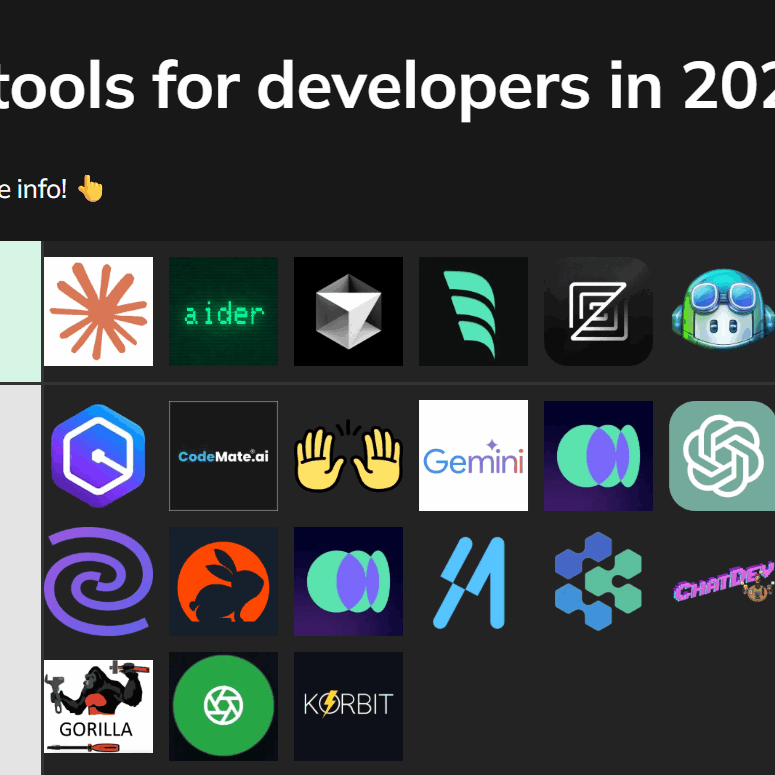
A significant trend to watch is the integration of AI-powered code completion and analysis. Tools like GitHub Copilot and Tabnine leverage machine learning to suggest code snippets, identify potential bugs, and even generate entire functions. While these tools aren't perfect, they can dramatically increase developer productivity and are becoming increasingly sophisticated. Expect to see more AI-powered features integrated directly into IDEs in the coming years.
- VS Code remains the standard for most because of its extension library.
- IntelliJ IDEA: Powerful code analysis and refactoring tools, especially for Java/Kotlin.
- Sublime Text: Fast and lightweight, but requires more manual configuration.
- GitHub Copilot: AI-powered code completion and suggestion tool.
Version control with Git
Git remains the undisputed champion of version control systems. Its distributed nature, powerful branching capabilities, and widespread adoption make it an essential tool for any software development project. Understanding the fundamentals of Git – committing, branching, merging, and rebasing – is crucial for effective collaboration and code management.
While Git itself is the core technology, Git hosting platforms like GitHub, GitLab, and Bitbucket provide additional features such as issue tracking, pull requests, and CI/CD integration. GitHub is arguably the most popular platform, offering a large community and a wealth of open-source projects. GitLab provides a more comprehensive DevOps platform, while Bitbucket integrates tightly with Atlassian’s suite of tools.
The rise of GitOps, a practice that uses Git as the single source of truth for infrastructure and application configurations, is further solidifying Git’s importance. GitOps enables automated deployments and rollbacks, improving reliability and reducing the risk of errors. While alternative version control systems exist, they generally lack the widespread support and ecosystem of Git.
Package managers
Modern software development relies heavily on external libraries and packages. Package managers streamline the process of managing these dependencies, ensuring that projects have the correct versions of all required components. npm is the standard package manager for Node.js, offering a vast repository of JavaScript packages. Pip is the go-to package manager for Python, while Maven and Gradle are commonly used in the Java ecosystem.
NuGet serves as the package manager for .NET developers, providing access to a wide range of libraries and frameworks. These tools automate the installation, updating, and removal of dependencies, simplifying project setup and maintenance. They also help enforce consistency across development teams.
Dependencies are a security liability. You need to scan for vulnerabilities and update packages weekly, or you're just waiting for a supply-chain attack to hit your production environment.
- npm: Node.js package manager.
- pip: Python package manager.
- Maven/Gradle: Java package managers.
- NuGet: .NET package manager.
Package Manager Comparison - 2026
| Language Support | Ease of Use | Security Features | Community Support | Dependency Resolution |
|---|---|---|---|---|
| JavaScript/Node.js - Primary, others via community | Generally Good, large ecosystem simplifies many tasks | Improving, with audit features; relies heavily on developer vigilance | Excellent, massive and active community | Generally Good, can be complex with nested dependencies |
| Python - Primary | Good, relatively straightforward for basic use cases | Moderate, focuses on package integrity but requires user awareness | Excellent, very large and supportive community | Good, handles dependencies well, virtual environments recommended |
| Java - Primary | Moderate, configuration can be verbose | Good, robust dependency management and security features | Very Good, mature and well-established community | Excellent, sophisticated algorithms for dependency conflict resolution |
| C#/.NET - Primary | Good, integrates well with Visual Studio | Good, strong focus on package signing and trusted sources | Very Good, large and active .NET community | Good, effective at resolving dependencies within the .NET ecosystem |
Qualitative comparison based on the article research brief. Confirm current product details in the official docs before making implementation choices.
Testing and debugging
Writing robust and reliable software requires thorough testing. Unit testing frameworks like JUnit (Java), pytest (Python), and Jest (JavaScript) allow developers to isolate and test individual components of their code. Integration testing verifies that different parts of the system work together correctly, while end-to-end testing simulates real user scenarios.
Selenium and Cypress are popular choices for end-to-end testing, automating browser interactions and verifying the functionality of web applications. Test-driven development (TDD) and behavior-driven development (BDD) are methodologies that emphasize writing tests before writing code, leading to more well-designed and maintainable software.
Automated testing is a cornerstone of CI/CD pipelines, ensuring that code changes are automatically tested before being deployed to production. Effective debugging tools are also crucial for identifying and resolving issues. Modern IDEs offer powerful debugging capabilities, allowing developers to step through code, inspect variables, and identify the root cause of errors.
- JUnit for Java, pytest for Python, and Jest for JavaScript handle the bulk of unit testing needs.
- pytest: Unit testing framework for Python.
- Jest: Unit testing framework for JavaScript.
- Selenium: End-to-end testing framework.
- Cypress: End-to-end testing framework.
Featured Products

8-channel logic analyzer · Compatible with Windows, Mac, or Linux · Ultra-portable design
This logic analyzer is a fantastic tool for diving deep into digital signals, helping you pinpoint issues in your hardware designs with ease.

JTAG/SWD debugger · Supports Cortex-M microcontrollers · USB connectivity
For embedded developers working with ARM Cortex-M microcontrollers, this debugger is essential for stepping through code and understanding your system's behavior at a low level.
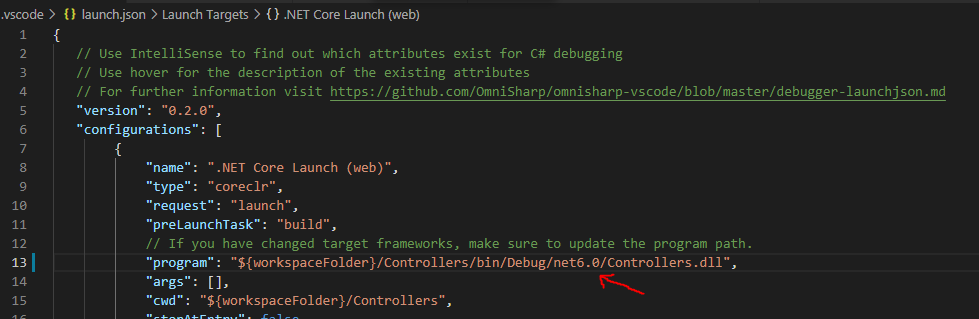
Integrated debugging experience · Supports numerous programming languages · Extensive extension marketplace
Visual Studio Code's built-in debugger, enhanced by its vast extension ecosystem, provides a powerful and flexible environment for finding and fixing bugs across many different languages and frameworks.

66 specific debugging techniques · Covers software and systems · Actionable advice
This book offers a treasure trove of practical strategies and techniques to tackle even the most stubborn bugs, making you a more effective troubleshooter.
As an Amazon Associate I earn from qualifying purchases. Prices may vary.
Collaboration & Project Management
Effective collaboration is essential for successful software development, especially in remote or distributed teams. Tools like Jira, Trello, and Asana provide platforms for managing tasks, tracking progress, and facilitating communication. These tools often support agile methodologies, allowing teams to work in iterative sprints and adapt to changing requirements.
Slack and Microsoft Teams are popular communication platforms that integrate with many development tools, enabling real-time discussions and quick problem-solving. The integration of these tools with code repositories (like GitHub) and CI/CD pipelines streamlines workflows and provides visibility into the entire development process.
With the increasing prevalence of remote work, choosing tools that support asynchronous communication and collaboration is crucial. Clear documentation, well-defined workflows, and regular check-ins are essential for maintaining team cohesion and productivity.
Cloud and infrastructure
The major cloud platforms—Amazon Web Services (AWS), Microsoft Azure, and Google Cloud Platform (GCP)—offer a wide range of services for building, deploying, and scaling applications. Containerization technologies like Docker and Kubernetes have become essential for modern cloud-native development, allowing developers to package applications and their dependencies into portable containers.
Infrastructure-as-code (IaC) tools like Terraform and CloudFormation enable developers to automate the provisioning and management of infrastructure, treating it as code. This improves consistency, reduces errors, and enables faster deployments. Monitoring and logging tools like Prometheus and Grafana provide insights into application performance and help identify potential issues.
Serverless computing, offered by all major cloud providers, allows developers to run code without managing servers. This can significantly reduce operational overhead and improve scalability. Automation and infrastructure as code are key principles of DevOps, a set of practices that aims to bridge the gap between development and operations.

No comments yet. Be the first to share your thoughts!