
The developer job market in 2026
The demand for software developers remains strong heading into 2026, but the landscape is evolving. While headlines often focus on AI’s impact, the need for humans to build, maintain, and adapt software isn’t disappearing. Instead, we’re seeing a shift in required skills. Proficiency in cloud technologies – AWS, Azure, Google Cloud – is increasingly vital. So is a solid understanding of DevOps practices and containerization with tools like Docker and Kubernetes.
Junior developer salaries in 2026 vary significantly by location and technology stack. Expect a range of $70,000 to $110,000 in many US cities, with higher figures in major tech hubs. However, these numbers aren’t guaranteed. Hiring managers are prioritizing candidates who demonstrate practical skills and a willingness to learn. A degree isn’t always a requirement, but the ability to solve problems and collaborate effectively is paramount.
The rise of AI coding assistants like GitHub Copilot and Tabnine is changing how developers work. These tools automate repetitive tasks and suggest code snippets, but they don’t replace the need for fundamental programming knowledge. In fact, the ability to effectively use these AI tools will become a valuable skill in itself. Employers will be looking for developers who can leverage AI to increase their productivity, not those who are reliant on it.
Expect continued demand for full-stack developers, especially those with experience in JavaScript frameworks like React, Angular, or Vue.js. Python remains popular for data science and machine learning roles. Cybersecurity skills are, unsurprisingly, in high demand. But beyond specific technologies, a strong foundation in data structures, algorithms, and software design principles is crucial for long-term success.
Bootcamps are the fast, expensive route
Coding bootcamps promise a fast track to a developer career, typically compressing a year’s worth of learning into a few months. The most common curriculum focuses on full-stack web development – JavaScript, Node.js, React, and related technologies. However, you’ll also find bootcamps specializing in data science, cybersecurity, or mobile development. The time commitment is intense, often requiring 60-80 hours per week.
Most bootcamps cost between $15,000 and $25,000. That price usually covers resume help and mock interviews. The main draw is the speed and the fact that you're learning alongside other people, which helps when you're stuck on a difficult concept for three days straight.
However, bootcamps aren’t without their drawbacks. The high cost can be a significant barrier to entry. The intensive pace isn’t for everyone. And, frankly, the quality of bootcamps varies wildly. Some have excellent placement rates and a strong reputation, while others struggle to deliver on their promises. Thorough research is essential. Look at graduate outcomes, instructor experience, and curriculum details before committing.
A key consideration is the depth of understanding you’ll gain. Bootcamps often prioritize getting you job-ready quickly, which can mean sacrificing a deeper dive into fundamental concepts. This isn't necessarily a bad thing, but it's important to be aware of. You might find yourself needing to fill in knowledge gaps later in your career. Many bootcamps also offer financing options, but carefully evaluate the terms and interest rates before taking on debt.
Several established bootcamps exist, including General Assembly, Flatiron School, and App Academy. They all have different focuses and reported outcomes. App Academy, for example, operates on an income-share agreement, meaning you only pay tuition after you land a job earning above a certain threshold. However, these agreements come with their own set of conditions.
Coding Bootcamp Comparison (as of late 2023/early 2024 - projected to 2026)
| Bootcamp Name | Approximate Cost | Program Duration | Curriculum Focus | Career Services |
|---|---|---|---|---|
| General Assembly | Ranges from $17,950 - $24,950 (depending on format and course) | 12 - 24 weeks (full-time or part-time options) | Full-stack web development, data science, UX design, digital marketing | Career coaching, portfolio reviews, networking events, job placement assistance |
| Flatiron School | Around $17,995 (as of late 2023) | 15 weeks (full-time) or 20 weeks (part-time) | Software engineering, data science, cybersecurity analytics | Career coaching, mock interviews, resume workshops, employer partnerships |
| App Academy | Up to $30,000 (deferred tuition options available - pay after placement) | 16 - 24 weeks (full-time) | Full-stack web development with a focus on JavaScript and Ruby on Rails | Extensive career support, including technical interview prep and networking |
| Hack Reactor | Approximately $18,500 (as of late 2023) | 12 weeks (full-time, immersive) | Advanced software engineering with JavaScript focus | Dedicated career team, technical and behavioral interview practice, access to employer network |
| Nucamp | Around $9,900 - $19,900 (depending on package) | 24 weeks (part-time, online with weekend in-person workshops) | Front-end, back-end, and full-stack web and mobile development | Career support resources, portfolio reviews, and access to a job board |
| Coding Dojo | Approximately $14,900 - $23,900 (depending on stack) | 12 - 16 weeks (full-time) | Multiple stacks including Python, JavaScript, Java, and .NET | Career preparation workshops, resume building, and connections to hiring partners |
Illustrative comparison based on the article research brief. Verify current pricing, limits, and product details in the official docs before relying on it.
Self-Learning: A World of Options
Self-learning offers a more flexible and often more affordable path to becoming a developer. The internet is overflowing with resources, ranging from free tutorials to comprehensive online courses. FreeCodeCamp and The Odin Project are excellent starting points, offering structured curricula covering web development fundamentals. Khan Academy provides a solid foundation in computer science concepts.
For those willing to pay, platforms like Udemy, Coursera, and Codecademy Pro offer a vast library of courses on virtually any programming topic. Educative.io focuses on interactive, text-based learning, which some developers find more effective than video-based courses. Costs vary widely, from a few dollars for individual Udemy courses to several hundred dollars per year for subscriptions to platforms like Codecademy Pro.
The biggest benefit of self-learning is its flexibility. You can learn at your own pace, on your own schedule. It's also incredibly cost-effective, especially if you leverage free resources. However, it requires a significant amount of discipline and self-motivation. It’s easy to get distracted or overwhelmed without a structured learning environment.
One common challenge for self-taught developers is the lack of direct support. You might struggle to get unstuck on a problem or receive feedback on your code. Building a portfolio is crucial in this scenario. It demonstrates your skills and initiative to potential employers. Contribute to open-source projects, build personal projects, and showcase your work on GitHub.
- freeCodeCamp offers a project-based curriculum that is completely free.
- The Odin Project is the best choice for learning full-stack JavaScript or Ruby on Rails through open-source contributions.
- Khan Academy: Excellent for foundational computer science concepts.
- Udemy: Wide range of courses at affordable prices.
- Coursera: University-level courses and specializations.
- Codecademy Pro: Interactive, hands-on learning experience.
- Educative.io: Text-based, interactive courses.
Featured Products

Project-based learning · Covers Python fundamentals · Includes real-world projects like games and web applications
This book is a fantastic starting point for absolute beginners, guiding you through Python basics with engaging projects.

Focuses on front-end web development · Teaches JavaScript and jQuery · Covers interactive elements for websites
Dive into making websites dynamic and interactive with this practical guide to JavaScript and jQuery.
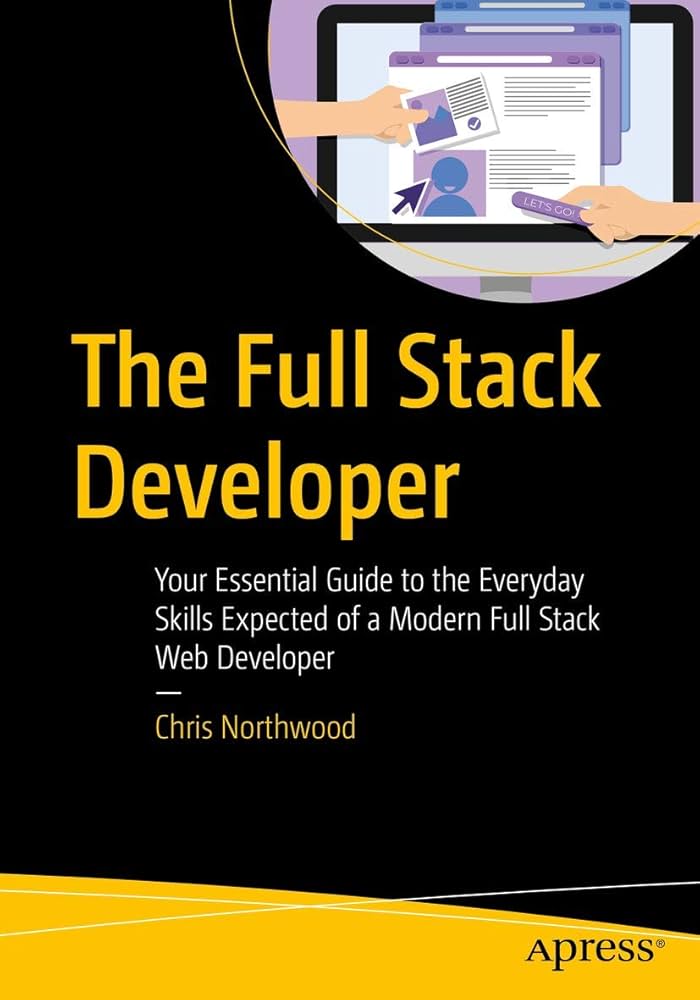
Comprehensive full-stack curriculum · Covers HTML, CSS, JavaScript, Node.js, Express, and more · Includes numerous hands-on projects and exercises
Colt Steele's popular bootcamp course offers a thorough, project-driven approach to mastering full-stack development.
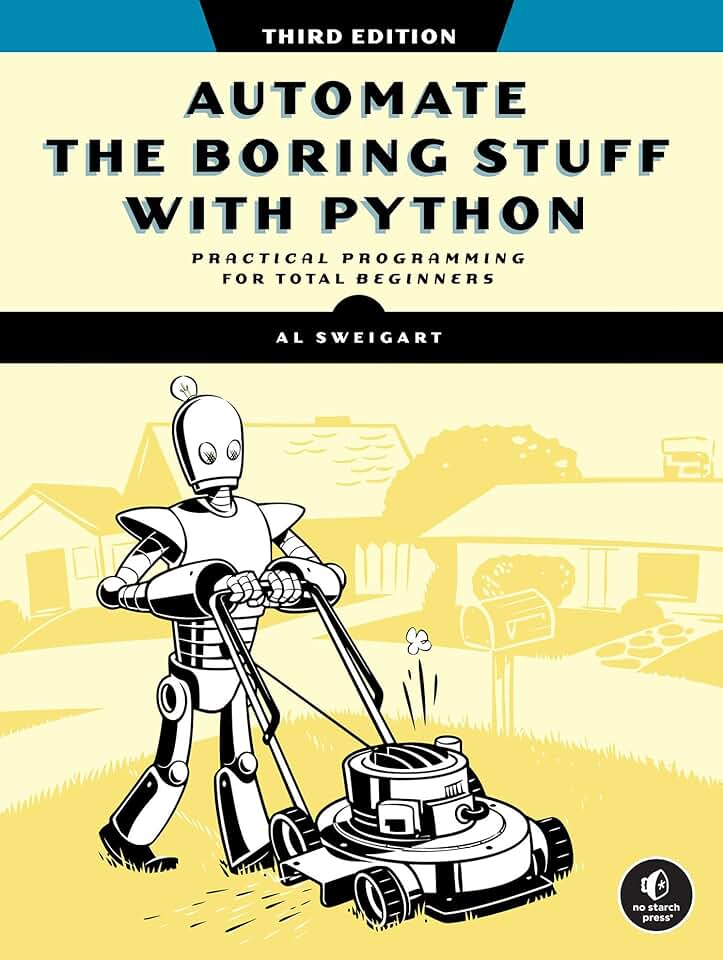
Focuses on practical Python applications · Teaches how to automate everyday tasks · Covers web scraping, file manipulation, and more
Learn how to use Python to streamline your workflow and automate repetitive tasks with this highly practical book.

In-depth introduction to JavaScript · Covers programming concepts and the browser environment · Includes exercises and projects
For those who want a deeper understanding of JavaScript and programming principles, this book provides a robust foundation.
As an Amazon Associate I earn from qualifying purchases. Prices may vary.
Structured Alternatives: Beyond the Bootcamp
Several platforms offer a middle ground between the intensity of a bootcamp and the self-direction of pure self-learning. These options often provide more structure and support than free resources, but at a lower cost and time commitment than a traditional bootcamp. Microverse, for example, is a remote learning program that emphasizes pair programming and mentorship.
Scrimba takes a unique approach, using interactive screencasts that allow you to edit the code directly within the video. This makes learning more engaging and hands-on. Other options include Pathrise and Lambda School (though Lambda School has faced some scrutiny in the past regarding its outcomes).
These alternatives often focus on specific career paths, such as web development or data science. They typically include mentorship, career coaching, and project-based learning. The key difference is often the level of support and the emphasis on community. They aim to provide a more supportive and guided learning experience than self-learning, without the hefty price tag of a full bootcamp.
What employers actually care about
What do employers really think about bootcamp grads versus self-taught developers? The answer is…it depends. A 2023 Stack Overflow Developer Survey indicated that while computer science degrees are still valued, a significant percentage of hiring managers are open to candidates from alternative backgrounds. Practical skills and demonstrated ability are often prioritized over formal education.
Many employers focus on assessing a candidate's problem-solving skills and technical proficiency through coding challenges and technical interviews. A strong portfolio is crucial in both cases. Employers want to see projects that demonstrate your ability to build and deploy real-world applications. They also look for evidence of continuous learning and a willingness to adapt to new technologies.
According to a recent report by HackerRank, skills in data structures and algorithms are highly valued by employers, regardless of a candidate’s educational background. Proficiency in specific programming languages, such as Python and JavaScript, is also in high demand. Employers also increasingly value soft skills, such as communication, teamwork, and problem-solving.
Some companies actively recruit from bootcamps, while others prefer candidates with computer science degrees. It often depends on the company culture and the specific role. Larger companies may have more structured hiring processes that favor candidates with traditional credentials, while startups may be more open to considering candidates with diverse backgrounds.
When hiring junior developers, what is the most important factor?
Vote below and share what matters most to you in an entry-level developer candidate.
Building Your Portfolio: The Great Equalizer
Regardless of whether you choose a bootcamp or self-learning, a strong portfolio is your most valuable asset. It's your chance to demonstrate your skills and prove that you can build things. Focus on projects that showcase your problem-solving abilities and technical proficiency. Don't just copy tutorials; build something original.
What kind of projects should you build? Start with small, manageable projects that demonstrate fundamental concepts. Then, move on to more complex projects that showcase your ability to work with different technologies and frameworks. Consider building a full-stack web application, a mobile app, or a data science project.
Host your projects on GitHub to demonstrate your version control skills. Deploy your web applications to platforms like Netlify or Vercel to showcase your ability to build and deploy real-world applications. Write clear and concise documentation to explain your code and your design decisions. Clean, well-documented code is a sign of professionalism.
Don’t underestimate the power of a personal website. It’s a great way to showcase your portfolio, your skills, and your personality. A well-designed website can make a lasting impression on potential employers. Remember to tailor your portfolio to the types of jobs you’re applying for.
Success Stories: Paths to a Developer Job
Sarah Miller: Sarah, a former teacher, transitioned to a software engineering role after completing a 12-week bootcamp focused on full-stack JavaScript. She leveraged the bootcamp’s career services to land a job as a junior developer at a local tech company. Her success was driven by her dedication, her willingness to learn, and her strong portfolio.
David Lee: David taught himself to code using freeCodeCamp and The Odin Project. He spent over a year building personal projects and contributing to open-source projects. He landed a remote developer role at a startup after showcasing his portfolio and demonstrating his problem-solving skills during the interview process. His persistence and self-discipline were key to his success.
Maria Rodriguez: Maria started with a structured alternative, Scrimba, to learn React. She then supplemented that with courses on Udemy and built a complex e-commerce application for her portfolio. She secured a role at a larger company within six months, highlighting her focused learning and demonstrable skills.
These stories illustrate that there isn't one single path to becoming a developer. Whether you choose a bootcamp, self-learning, or a structured alternative, success requires dedication, hard work, and a willingness to continuously learn. Building a strong portfolio and demonstrating your skills are essential, regardless of your background.
No comments yet. Be the first to share your thoughts!