
Bootcamps are no longer the only way in
The coding bootcamp market has changed significantly in the last few years. Initial promises of rapid career transitions fueled explosive growth, but rising tuition costs – often exceeding $20,000 for a full-time program – and increasingly variable job placement rates are leading many prospective students to reconsider. Reports from sources like the Council on Integrity in Results Reporting (CIRR) show a wide range in reported outcomes, with some bootcamps struggling to demonstrate a clear return on investment.
While bootcamps can be effective for some, particularly those needing a highly structured environment and a quick career pivot, they aren’t the only route to becoming a software developer. Self-paced online learning offers a compelling alternative, providing flexibility, often at a fraction of the cost, and allowing individuals to learn at their own speed. This approach demands discipline, but the benefits – control over your learning path and reduced financial burden – can be substantial.
Bootcamps still work if you need someone looking over your shoulder. The immersive schedule and career coaches help if you're starting from zero. But with better online tools available now, you don't need a $20,000 certificate to get hired. You can pick exactly what you want to learn and skip the rest.
The rise of platforms offering structured learning paths, coupled with robust online communities, provides a support system that rivals the cohort-based experience of many bootcamps. This shift favors individuals who are motivated, resourceful, and capable of independent learning. A carefully curated self-paced curriculum can deliver the same core skills, often with a broader range of specialized knowledge, without the hefty price tag.
Seven self-paced programs worth your time
Choosing the right self-paced program depends on your learning style, prior experience, and career aspirations. Here’s a detailed look at seven popular options, outlining their strengths, weaknesses, and target audiences.
Codecademy is a well-established platform known for its interactive, hands-on approach. It’s particularly well-suited for beginners, offering courses in a wide range of languages, including Python, JavaScript, and Java. The platform’s Pro subscription, currently priced around $23.99/month (as of late 2024), unlocks access to guided projects and real-world scenarios. However, Codecademy’s depth can be limited; it’s a great starting point but may require supplemental learning for advanced topics. The focus is heavily on syntax and basic concepts, which is ideal for those completely new to programming.
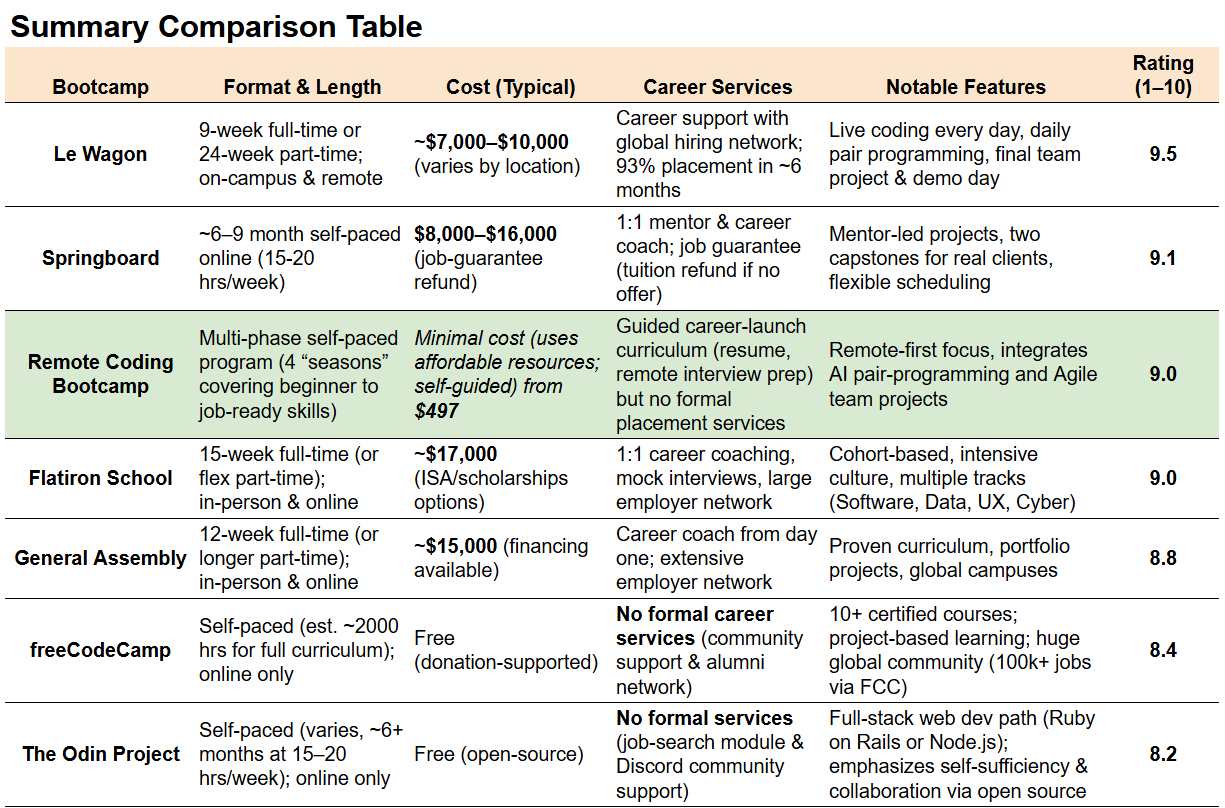
freeCodeCamp stands out as a completely free, non-profit organization dedicated to making coding accessible to everyone. Its curriculum is project-based and covers web development (front-end, back-end, and full-stack), data science, and machine learning. freeCodeCamp’s strength lies in its comprehensive curriculum and supportive community. You’ll build a portfolio of projects as you progress, which is crucial for demonstrating your skills to potential employers. The downside is the lack of personalized support; you’re largely reliant on the community for assistance. It’s a serious commitment, but the rewards are significant.
Udacity Nanodegrees offer a more structured and in-depth learning experience than Codecademy or freeCodeCamp. These programs are designed in collaboration with industry experts and focus on specific career paths, such as data science, machine learning, and front-end web development. Nanodegree programs typically cost several hundred dollars per month, but Udacity often offers scholarships and discounts. The curriculum is highly practical and includes hands-on projects, mentorship, and career coaching. However, the time commitment is substantial, and the cost can be prohibitive for some. Udacity’s focus on practical skills makes it a good choice for career changers.
Coursera Specializations are similar to Udacity Nanodegrees, but offered through universities and other educational institutions. They provide a more academic approach to learning, with a focus on theoretical foundations as well as practical application. Costs vary depending on the specialization, but typically range from $300 to $800 for the entire program. Coursera’s strength lies in its credibility and the opportunity to learn from leading experts. The platform also offers financial aid to eligible students. The learning experience can be less focused on immediate job readiness compared to Udacity.
Udemy is a massive online learning marketplace with a vast catalog of courses. While the quality of courses can vary, there are numerous highly-rated instructors offering excellent programming tutorials. Look for instructors with strong reviews and a proven track record. Courses are often available for as little as $10-$20 during sales. Udemy’s strength lies in its affordability and breadth of content. However, the lack of a structured curriculum can be a drawback; you need to be proactive in choosing courses and creating a learning path. Instructors like Colt Steele and Angela Yu consistently receive high praise for their web development courses.
Educative.io differentiates itself with a focus on text-based, interactive courses. Rather than video lectures, Educative.io uses a code-first approach, allowing you to learn by doing. It’s particularly well-suited for developers who prefer to learn at their own pace and don’t want to spend hours watching videos. Subscriptions typically cost around $19.99/month (as of late 2024). Educative.io’s strength lies in its efficiency and focus on practical skills. The platform covers a wide range of topics, including data science, machine learning, and system design.
DataCamp specializes in data science and analytics education. Its interactive courses cover Python, R, SQL, and other essential data science tools. DataCamp’s strength lies in its hands-on approach and focus on real-world data science problems. Subscriptions start around $25/month. It’s an excellent choice for individuals looking to break into the data science field, but less suitable for those interested in general web development or software engineering. The platform’s structured learning paths and skill tracks make it easy to stay on track.
What these programs cost and how long they take
The financial investment and time commitment vary significantly across these programs. freeCodeCamp is the most affordable option, requiring only your time. Codecademy Pro and DataCamp subscriptions fall in the $20-$30/month range. Udemy courses can be purchased individually for as little as $10-$20, but building a comprehensive skillset requires purchasing multiple courses.
Udacity Nanodegrees and Coursera Specializations are the most expensive options, typically costing several hundred dollars per month. However, these programs often offer financial aid and scholarships. It's essential to factor in the cost of any necessary software or tools, such as an IDE or a cloud computing account.
Time commitment is equally variable. freeCodeCamp’s full-stack curriculum can take 6-12 months to complete, depending on your pace and prior experience. Codecademy’s career paths typically take 3-6 months. Udacity Nanodegrees and Coursera Specializations require a significant time commitment, often 10-20 hours per week for several months. Udemy courses can be completed at your own pace, but it’s important to set realistic goals. Self-paced doesn’t mean quick; consistent effort is key. 'Time to job' is highly dependent on individual effort, portfolio quality, and market conditions.
- freeCodeCamp: Free. Expect to spend 6 to 12 months.
- Codecademy Pro: Cost: $23.99/month. Time: 3-6 months.
- Udemy: Cost: $10-$20 per course. Time: Variable.
- Udacity Nanodegree: Cost: $399+/month. Time: 6-12 months.
- Coursera Specialization: Cost: $300-$800. Time: 4-8 months.
- Educative.io: Cost: $19.99/month. Time: 3-9 months.
- DataCamp: Cost: $25+/month. Time: 4-8 months.
Self-Paced Programming Program Comparison - 2026
| Program | Ideal Learner Profile | Key Strength | Potential Weakness | Support Structure |
|---|---|---|---|---|
| Codecademy | Beginners with no prior experience | Broad introductory coverage of many languages | May lack depth for specialized roles | Community forum and limited Q&A |
| freeCodeCamp | Motivated self-starters seeking project-based learning | Extensive curriculum with a focus on practical application | Requires significant self-discipline and time management | Strong online community and mentorship opportunities |
| Udacity Nanodegrees | Individuals aiming for career transitions with industry relevance | Curriculum developed in partnership with tech companies | Can be a substantial time commitment | Dedicated mentor support and career services |
| Coursera (Specializations) | Learners wanting university-level instruction | Access to courses from leading universities and institutions | Course quality can vary significantly | Discussion forums and some instructor interaction |
| edX (Professional Certificates) | Those seeking credentials from top universities | Rigorous academic content and verified certificates | Often requires a significant time investment | Limited personalized support |
| The Odin Project | Aspiring full-stack web developers | Comprehensive curriculum focused on modern web technologies | Steep learning curve for complete beginners | Active Discord community and peer support |
| Khan Academy (Computer Programming) | Individuals needing foundational programming concepts | Excellent resource for learning core programming principles | Limited scope beyond introductory topics | Tutorials and practice exercises |
Qualitative comparison based on the article research brief. Confirm current product details in the official docs before making implementation choices.
Building a Portfolio Without a Bootcamp
One of the biggest challenges for self-taught developers is building a portfolio that demonstrates their skills to potential employers. Simply completing online courses isn’t enough; you need to showcase your ability to build real-world applications. Start with small, focused projects that solve a specific problem. For web developers, this could include a personal website, a to-do list app, or a simple e-commerce store.
As you gain more experience, tackle more complex projects that demonstrate your proficiency in different technologies. Consider contributing to open-source projects on GitHub. This is a great way to learn from experienced developers, build your network, and demonstrate your ability to collaborate on a team. Focus on projects that align with the types of jobs you’re targeting. If you want to be a front-end developer, build front-end projects. If you’re interested in data science, work on data analysis projects.
GitHub is your friend. Treat your GitHub profile as your online resume. Ensure your projects are well-documented and easy to understand. Write clear and concise commit messages. A well-maintained GitHub profile can significantly increase your chances of landing an interview. Don't be afraid to show your work, even if it's not perfect. The process of building and sharing projects is just as important as the final product.
- Web Development: Personal website, to-do list app, blog, e-commerce store.
- Data Science: Data analysis project using a public dataset, machine learning model, data visualization dashboard.
- Python: Command-line tool, web scraper, game.
Community and Support Networks
Self-paced learning can be isolating, so finding a community for support, motivation, and networking is crucial. Numerous online communities cater to developers of all levels. Discord servers, such as those dedicated to specific programming languages or frameworks, provide a real-time chat environment where you can ask questions and get help from other developers.
Reddit subreddits like r/learnprogramming, r/webdev, and r/datascience are excellent resources for finding information, asking questions, and connecting with other learners. Slack channels dedicated to specific technologies or communities can also be valuable. Don’t underestimate the power of local meetups and workshops. Meetup.com is a great way to find events in your area.
Landing Your First Developer Job
The job search process for self-taught developers requires a strategic approach. Your resume needs to highlight your skills and projects, even if you don’t have a traditional computer science degree. Focus on quantifiable achievements and demonstrate your ability to solve problems. Optimize your LinkedIn profile with relevant keywords and connect with recruiters.
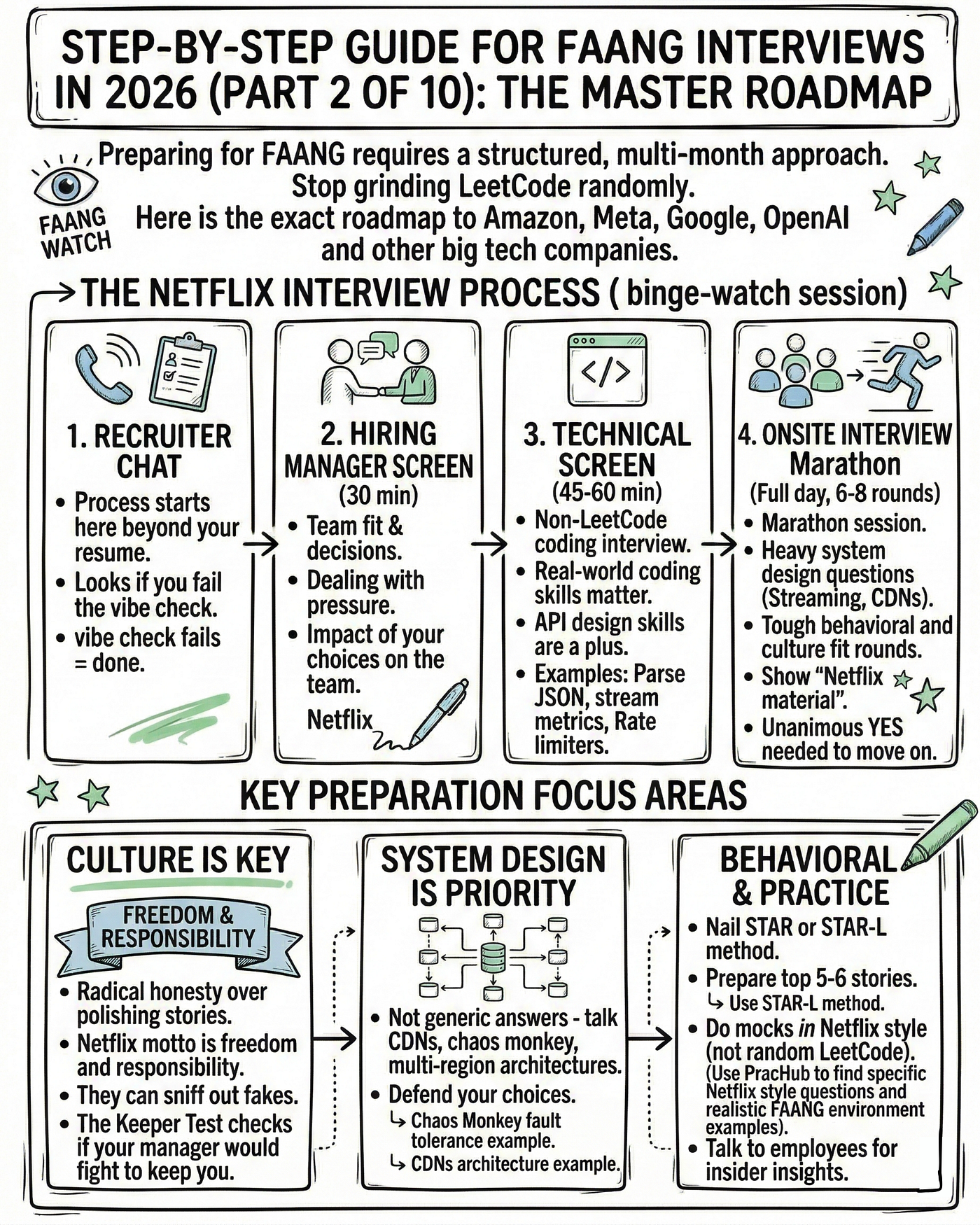
Be prepared to explain your non-traditional background to employers. Emphasize your self-discipline, motivation, and ability to learn quickly. Highlight the projects you’ve built and the skills you’ve acquired through self-paced learning. Networking is essential. Attend industry events, connect with developers on LinkedIn, and reach out to recruiters. Practice your technical interview skills. LeetCode and HackerRank are popular platforms for practicing coding challenges.
The job market can be competitive, but with persistence and a well-crafted portfolio, self-taught developers can land rewarding careers in tech. Don’t be discouraged by rejections. View each interview as a learning opportunity and continue to refine your skills and your approach.

No comments yet. Be the first to share your thoughts!