
how ai changed learning to code
Learning to code used to mean months of memorizing syntax and data structures before you could build anything useful. Tools like ChatGPT and GitHub Copilot have changed that. They don't replace the need to understand logic, but they act as a shortcut for the tedious parts of writing software, making it much easier for beginners to get started.
The integration of AI isn’t without its anxieties. Some developers worry about job security or the potential for AI-generated code to be less reliable. However, the reality is far more nuanced. These tools excel at automating repetitive tasks, suggesting code completions, and even generating entire functions from natural language prompts, freeing up developers to focus on higher-level problem-solving and creative design.
This new landscape presents opportunities for everyone. Beginners can use AI to accelerate their learning process and quickly build working prototypes. Experienced developers can leverage AI to boost their productivity and explore new approaches to complex challenges. The key is to embrace these tools not as replacements, but as powerful allies in the coding journey. We're seeing a move toward a more collaborative style of development, where humans and AI work together.
The courses emerging now are designed to help navigate this shift. They aren’t simply teaching you how to code, but how to code with AI. This requires a different skillset – understanding how to effectively prompt AI models, interpret their output, and integrate AI-generated code into larger projects. The best programming courses will focus on this symbiotic relationship.
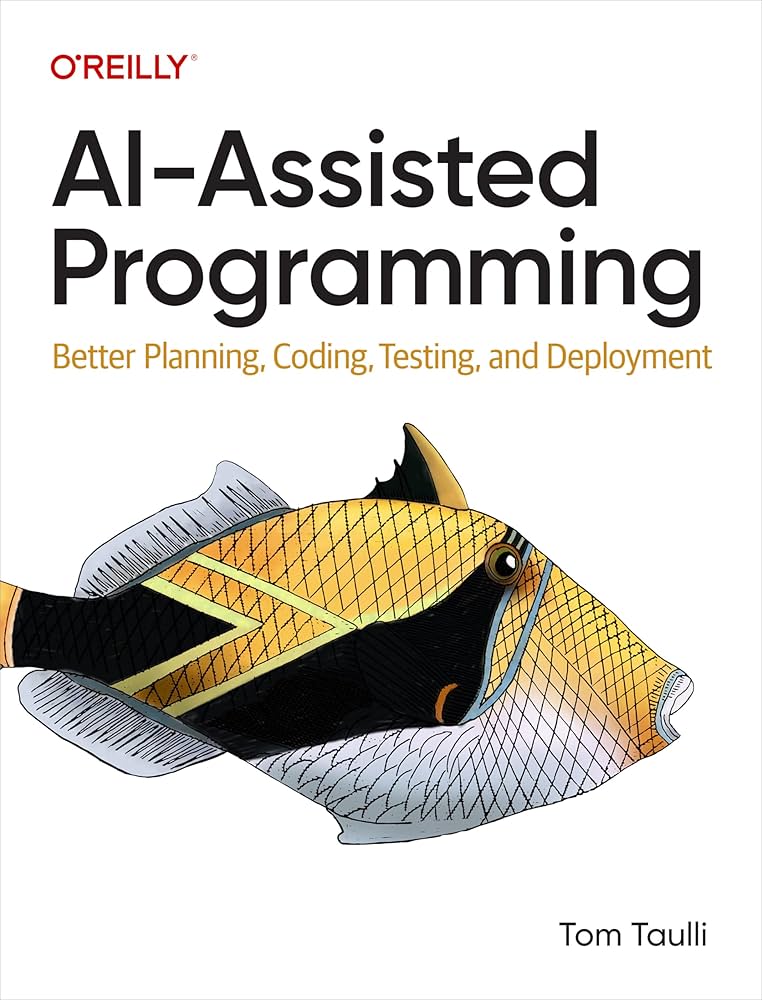
the best ai programming courses for 2026
The demand for AI-assisted coding education is driving a surge in new courses. Here’s a look at some of the best options available as of 2026, focusing on those that specifically integrate AI tools into their curriculum. These courses all aim to help you learn programming online, but they vary in their approach and target audience.
Codecademy consistently ranks high for its interactive learning environment. Their AI Builder experience is a standout, allowing users to generate code snippets and even entire projects using natural language prompts. Codecademy offers courses in Python, JavaScript, HTML, CSS, and more, with AI assistance woven throughout the learning path. Skill paths focus on career-relevant skills, and they offer both free and paid tiers. The paid tiers unlock more advanced features and projects.
Coursera provides a more academic approach, partnering with universities and institutions to offer courses and certifications. Their programming courses cover a wide range of languages and concepts, from Python and Java to data structures and algorithms. Several courses now incorporate AI tools for code generation and debugging. Coursera’s strength lies in its depth and the credibility of its instructors. You can find specializations focused on AI and machine learning alongside traditional programming topics.
SitePoint focuses heavily on web development and offers courses on front-end and back-end technologies. While not exclusively AI-focused, they've begun integrating AI tools into their curriculum, demonstrating how to use AI to streamline web development workflows. Their courses are project-based, allowing students to build real-world applications. They also have a strong community forum where students can ask questions and share their work.
Treehouse is known for its video-based learning format and hands-on projects. They offer courses in web development, mobile development, and data science, with increasing emphasis on AI-assisted coding. Treehouse provides a structured learning path, guiding students through a series of videos, quizzes, and coding challenges. Their courses are designed to be accessible to beginners, but they also offer more advanced content for experienced developers.
Udacity offers Nanodegree programs, which are intensive, project-based courses designed to prepare students for specific careers. They have several Nanodegrees that incorporate AI tools, such as their Self-Driving Car Engineer Nanodegree, which uses AI for perception and decision-making. Udacity’s courses are highly regarded by employers and often include mentorship from industry experts. These are generally the most expensive options, but offer significant career benefits.
Here’s a quick breakdown of key features:
The courses vary in price, from free introductory options on Codecademy to several thousand dollars for a Udacity Nanodegree. It’s important to consider your learning style, budget, and career goals when choosing a course.
- Codecademy has an interactive setup where you can prompt an AI to build snippets or full projects while you learn Python or JavaScript.
- Coursera: Academic, university-backed, in-depth curriculum, AI tools incorporated.
- SitePoint: Web development focused, project-based, AI for streamlining workflows.
- Treehouse: Video-based, structured learning paths, beginner to intermediate level.
- Udacity: Intensive Nanodegrees, career-focused, industry mentorship.
Gear Up Your Coding Station for AI-Assisted Learning

Quiet Perfect-Stroke Keys · Logi Bolt Technology · Rechargeable Battery
This keyboard provides a comfortable and reliable typing experience, perfect for long coding sessions.

27-inch 4K UHD Display · Vibrant Color Accuracy · Ergonomic Design
This monitor offers a crisp, detailed display that enhances code readability and visual clarity.

Industry-Leading Noise Cancellation · 30-Hour Battery Life · Comfortable Over-Ear Design
These headphones create an immersive, distraction-free environment essential for deep concentration.

Ergonomic Posture Support · Adjustable Lumbar Support · Breathable Mesh Material
This chair provides superior ergonomic support, promoting comfort and good posture during extended coding periods.

75% Compact Layout · Hot-Swappable Mechanical Switches · Mac/Windows Compatibility
This mechanical keyboard offers a tactile typing experience and a space-saving design for efficient coding.
As an Amazon Associate I earn from qualifying purchases. Prices may vary.
using codecademy’s ai builder
Codecademy’s AI Builder is a standout feature, offering a uniquely accessible entry point to AI-assisted coding. It allows users to describe the code they want in plain English and then generates functional code snippets. This is incredibly helpful for beginners who are struggling with syntax or for experienced developers who want to quickly prototype ideas.
The AI Builder currently supports Python, JavaScript, and HTML/CSS. You can use it to generate functions, classes, and even entire web pages. It’s particularly strong at generating boilerplate code and automating repetitive tasks. Codecademy highlights the ability to go 'from idea to real, working prototype in seconds' with this tool.
However, the AI Builder isn’t perfect. It can sometimes generate code that is inefficient or contains errors. It's crucial to review the generated code carefully and understand what it does before using it in a production environment. It’s a tool to assist you, not to replace your understanding of the underlying concepts. One user on Codecademy’s forum noted, 'The AI Builder is amazing for getting started, but you still need to learn the fundamentals to really make it work for you.'
Beyond the Basics: Advanced AI Coding Courses
Once you have a foundational understanding of programming and AI tools, you can move on to more advanced courses. These courses focus on leveraging AI to improve code quality, accelerate development, and tackle complex problems. They move beyond simple code generation and delve into the nuances of prompt engineering and AI-driven code review.
Several platforms offer courses on prompt engineering specifically for code generation. These courses teach you how to write effective prompts that elicit the desired output from AI models like ChatGPT and Copilot. This involves understanding the model’s limitations and learning how to phrase your requests in a clear and concise manner. A well-crafted prompt can dramatically improve the quality of the generated code.
Courses on AI-driven code review are also gaining popularity. These courses teach you how to use AI tools to automatically identify potential bugs, security vulnerabilities, and style violations in your code. This can significantly reduce the time and effort required for manual code review. Some tools can even suggest fixes for identified issues.
Look for courses that cover specific AI frameworks or libraries, such as TensorFlow or PyTorch. These courses will teach you how to integrate AI models into your applications and build intelligent systems. These are more specialized and require a strong foundation in both programming and AI concepts.
- Prompt Engineering for Code Generation: Mastering the art of writing effective prompts.
- AI-Driven Code Review: Automating the process of identifying bugs and vulnerabilities.
- AI Frameworks (TensorFlow, PyTorch): Building intelligent systems with AI models.
AI-Assisted Programming Course Comparison - 2026
| Course Name | AI Focus | Project Complexity | Language | Price |
|---|---|---|---|---|
| Codecademy AI Builder | ChatGPT Integration | Low to Medium | Multiple (Python, JavaScript, etc.) | Offers free courses; Paid plans available |
| DataCamp AI Coding Assistant | ChatGPT and other tools | Medium | Python, R, SQL | Subscription based |
| Udemy - Complete Python Bootcamp with AI | ChatGPT for code explanation & debugging | Medium | Python | Varies by promotion; typically $10 - $200 |
| Coursera - AI for Everyone | General AI concepts, including coding applications | Low | No specific language | Subscription or per-course fee |
| Educative.io - Learn with AI | Integrated AI assistance throughout courses | Medium to High | Multiple (Python, Java, etc.) | Subscription based |
| LeetCode with AI | AI-powered code completion and debugging | Medium to High | Multiple (Python, Java, C++) | Subscription based |
Illustrative comparison based on the article research brief. Verify current pricing, limits, and product details in the official docs before relying on it.
getting the most out of github copilot
GitHub Copilot is a powerful AI pair programmer that can significantly boost your productivity. However, simply installing Copilot isn’t enough. To truly master it, you need to understand how to use it effectively. It's not about letting Copilot write all of your code; it's about collaborating with it to achieve better results.
Writing good prompts is crucial. Be specific and descriptive in your comments and code. Copilot uses these cues to understand your intent and generate relevant suggestions. Break down complex tasks into smaller, more manageable steps. This will help Copilot provide more accurate and helpful code completions.
Understand Copilot’s limitations. It’s not a perfect tool and can sometimes generate incorrect or insecure code. Always review the suggested code carefully and test it thoroughly before using it in a production environment. Don’t blindly accept Copilot’s suggestions without understanding what they do. It excels at common patterns but can struggle with novel or complex logic.
Integrate Copilot into your workflow. Use it to automate repetitive tasks, generate boilerplate code, and explore different approaches to problem-solving. Think of it as a powerful assistant that can help you write code faster and more efficiently. Remember that Copilot isn't a replacement for a developer; it’s a tool to augment your abilities.
Cost Considerations: Free vs. Paid Options
The cost of learning to code with AI can vary significantly. Fortunately, there are many free resources available, alongside premium options that offer more features and support. Codecademy, for example, offers a selection of free introductory courses that allow you to experiment with their AI Builder. These are a great way to get started without spending any money.
However, the free tiers often have limitations, such as limited access to courses or features. Paid subscriptions typically unlock more advanced content, projects, and support. GitHub Copilot, for instance, requires a paid subscription ($10/month or $100/year as of late 2023). Coursera offers individual courses for a fee, or you can subscribe to their Plus program for unlimited access to their catalog.
Consider your learning goals and budget when choosing an option. If you’re just starting out, a free course might be sufficient. If you’re serious about becoming a professional developer, a paid subscription to a comprehensive platform like Codecademy or Coursera might be a worthwhile investment. Don’t forget to factor in the cost of any necessary tools or software.
No comments yet. Be the first to share your thoughts!